Asides

Iterable vs Customer.io: Best Platform for Automated Communication?

Automation has changed how brands communicate — replacing generic outreach with intelligent, behavior-driven messaging that adapts to every customer’s journey. Two standout platforms lead this shift: Iterable and Customer.io. Both promise to simplify automated customer communication, yet they approach it differently. Iterable positions itself as a cross-channel communication platform powered by AI and personalization, while Customer.io brands itself around automation, data, and content creation.

Let’s see how these two automation giants perform across key areas — from workflow automation and data handling to personalization, pricing, and best-fit use cases — to help you choose the right tool for your business.

Overview of Platforms

Though their marketing language differs, Iterable and Customer.io share a common purpose — helping brands communicate automatically, contextually, and at scale.

Iterable aims to make cross-channel communication seamless, enabling marketing teams to orchestrate consistent experiences across email, SMS, in-app, and push.

Customer.io focuses on empowering teams to own their automation logic and data pipelines, giving developers and marketers equal flexibility.

Both platforms ultimately bridge the gap between data and communication — ensuring the right message reaches the right customer at the right time.

Automation Capabilities

Automation is the foundation of both platforms, though their philosophies differ.

  • Iterable offers a visual, drag-and-drop workflow builder that simplifies campaign creation. Its AI engine helps optimize send times, select the best channel, and adapt sequences automatically based on user behavior.
  • Customer.io, meanwhile, offers developer-grade workflow control, where every trigger, condition, and event can be customized. It’s ideal for technical marketing teams who want precise automation logic rather than pre-built templates.

Takeaway : Iterable wins for simplicity and speed; Customer.io wins for flexibility and control.

Data Handling and Integration

Data is the engine behind any automation platform. Both Iterable and Customer.io excel here, but in slightly different ways.

  • Iterable provides strong integrations with CRMs, CDPs, and analytics platforms such as Salesforce, Segment, and Snowflake. It builds unified user profiles that allow marketers to launch personalized, predictive campaigns without needing deep data expertise.
  • Customer.io shines with data transparency — giving teams the ability to push data directly from back-end systems via APIs or data warehouses. This is a major plus for SaaS and tech-heavy organizations that need full visibility and control.

Takeaway : Choose Customer.io for hands-on data management; Iterable for quick, plug-and-play integration with enterprise systems.

Personalization and Content Creation

This is where the two platforms’ identities become clear.

  • Iterable relies on AI-driven personalization, automatically generating dynamic content blocks, predictive recommendations, and channel-optimized messages. It’s built for scale — ideal for teams managing thousands of segmented users.
  • Customer.io emphasizes data-driven customization, allowing marketers to use Liquid templating and logic-based personalization. It gives advanced users deeper creative control over message content and structure.

Takeaway : Iterable for large-scale, AI-assisted campaigns; Customer.io for creative teams that love full message customization.

Channel Reach and Customer Experience

Both tools enable multi-channel communication, but Iterable takes a slightly broader approach.

  • Iterable offers built-in support for email, SMS, push, in-app, and webhooks, creating seamless omnichannel flows. Its interface is designed for marketers who want unified communication without developer dependence.
  • Customer.io provides the same channels, but setup often requires manual configuration or custom integrations. This makes it more suited to teams with engineering resources.

Takeaway : Iterable offers a smoother out-of-the-box omnichannel experience; Customer.io delivers deeper customization when you want to fine-tune every channel.

Pricing and Value Comparison

Pricing can be a deciding factor, especially for startups or scaling businesses.

  • Iterable doesn’t publish public pricing; it’s typically quoted based on contact volume and features. It tends to be enterprise-grade, offering strong support and scalability for large marketing operations.
  • Customer.io provides transparent, usage-based pricing, starting from affordable tiers and scaling with message volume and data complexity. It’s budget-friendly for smaller teams or product-led startups.

Takeaway : Iterable delivers enterprise power (but at a higher cost), while Customer.io provides accessible pricing for data-savvy teams.

Use Case Scenarios

Here are examples of how businesses typically use each platform:

  • SaaS Product: A SaaS startup uses Customer.io to send lifecycle emails triggered by API events — onboarding, trial expiration, and churn prevention — all tied directly to its app database.
  • E-commerce Brand: A retail brand leverages Iterable to deliver AI-based product recommendations, cart recovery messages, and post-purchase sequences across email and SMS.
  • Fintech Company: A financial app combines Customer.io’s event data and Iterable’s multi-channel flexibility to personalize loan updates and push notifications.

Takeaway : Customer.io excels in technical, event-driven environments; Iterable dominates in scalable B2C and retail communication.

Integration Ecosystem

Both platforms play well with external tools, but in different ways:

  • Iterable integrates effortlessly with marketing clouds, data warehouses, and analytics suites — perfect for teams already using Salesforce, Amplitude, or Looker.
  • Customer.io provides robust API documentation and webhook support, letting developers tie it directly into home-grown or open-source data systems.

Takeaway : Iterable fits structured enterprise stacks; Customer.io suits flexible, API-first architectures.

Real-World Example

Imagine an online learning company with thousands of users signing up daily.

  • Using Iterable, the marketing team can build an automated journey that welcomes new users via email, reminds them of unfinished lessons through push notifications, and sends milestone badges through in-app messages — all optimized by AI for timing and relevance.
  • If the same company uses Customer.io, their technical team can connect student activity logs directly through APIs, customizing workflows so that messages are triggered based on exact user behaviors like quiz scores or subscription status.

Both achieve the same goal — automated communication — but the path differs depending on technical maturity and resources.

Feature comparison of Iterable vs Customer.io

FeatureIterableCustomer.io
PositioningCross-channel communicationAutomation, data, and content creation
Ease of UseIntuitive, AI-assistedTechnical, data-centric
AutomationVisual workflows with AIEvent-based, developer-controlled
Data HandlingIntegrated and predictiveTransparent and API-driven
PersonalizationAI-poweredLogic-based (Liquid templates)
Channel SupportEmail, SMS, push, in-appSame (manual setup)
Best ForEnterprise & retail brandsSaaS & data-driven teams

Which Platform Fits Your Team Best?

  • Choose Iterable if your goal is AI-powered, scalable automation that minimizes manual setup and offers seamless cross-channel coordination. It’s built for marketing teams that prioritize speed and unified communication.
  • Choose Customer.io if you prefer data transparency, event-driven logic, and custom workflows. It’s ideal for product-led or SaaS companies where developers and marketers collaborate closely.

Both platforms elevate automated customer communication, but your choice depends on whether you want AI simplicity or data-level control.

Conclusion

The evolution of automated marketing has blurred the line between data orchestration and customer communication.

  • Iterable represents the AI-first, marketer-friendly approach — perfect for scaling personalization across millions of users.
  • Customer.io stands for flexibility and control — giving teams the freedom to mold automation around their data.

No matter which you choose, both platforms prove one truth — The future of customer engagement belongs to automation that speaks personally, acts intelligently, and adapts in real time.

Mailchimp vs MailerLite

For years, Mailchimp was the only name in the email marketing game. Today, however, its shift toward becoming an “all-in-one marketing suite” has created space for focused, budget-friendly competitors. The undisputed champion that emerged as Mailchimp’s top competitor—especially for users prioritizing simplicity and value—is MailerLite. We break down the two platforms, focusing on the features that matter most to laymen: price, ease of use, and automation.

1. The Ultimate Deciding Factor: Pricing & Contact Management

This is where the difference between the two platforms is starkest. While both charge based on the size of your audience, how they count that audience will directly impact your wallet.

Mailchimp’s Approach:

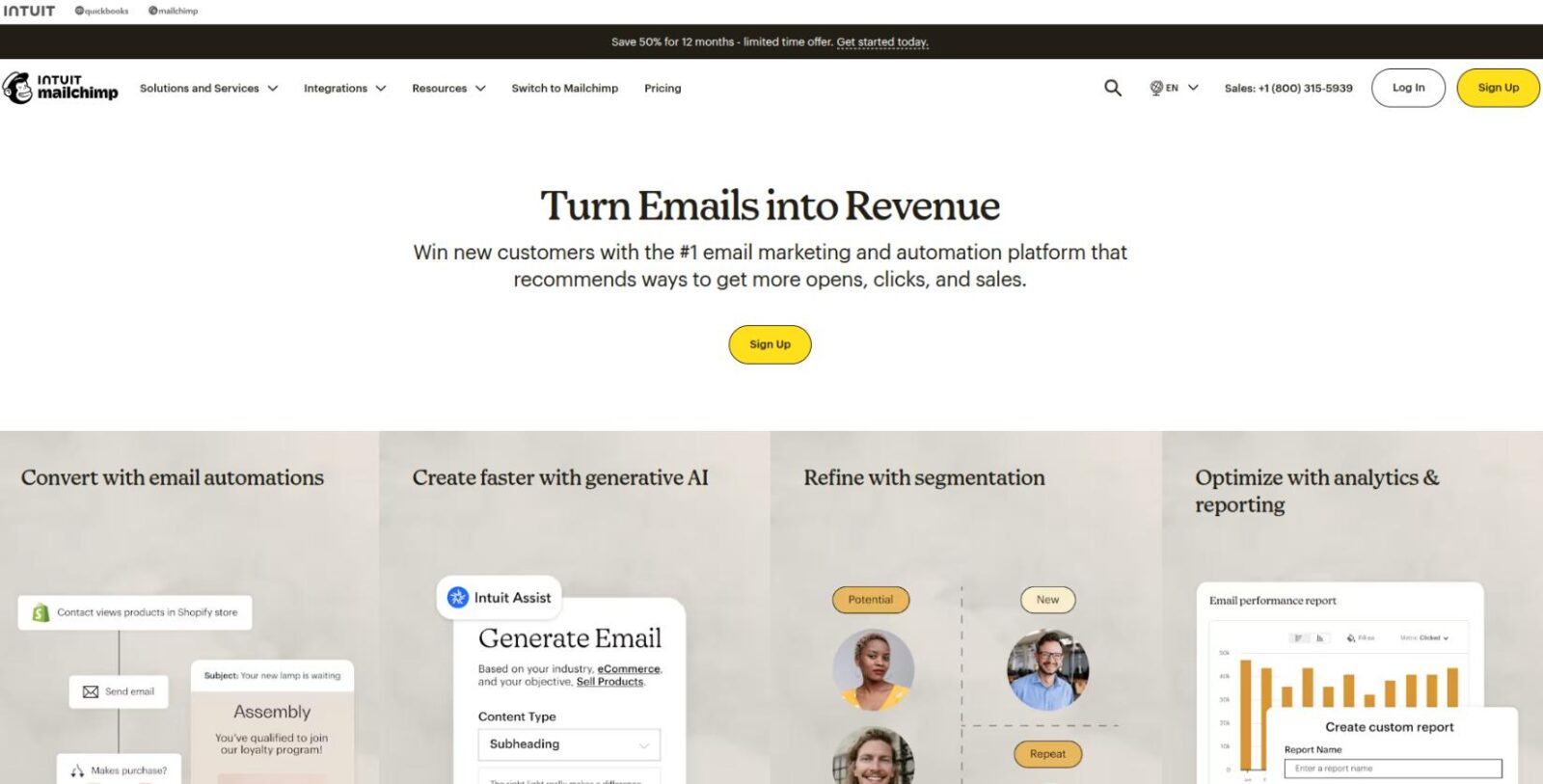
Mailchimp

Mailchimp’s pricing model is often cited as its biggest drawback, particularly after its acquisition by Intuit.

  • Charging for Inactive Contacts: Mailchimp famously charges you for all contacts in your audience, including unsubscribed contacts, bounced addresses, and non-subscribed contacts (if you have multiple audiences). If you have 5,000 active subscribers but 2,000 unsubscribed contacts, you pay the price for 7,000.
  • Limited Free Plan: The Free Plan is heavily restricted (often just 500 subscribers and limited sends), and crucially, it excludes key features like email scheduling and multi-step automation.

MailerLite’s Approach

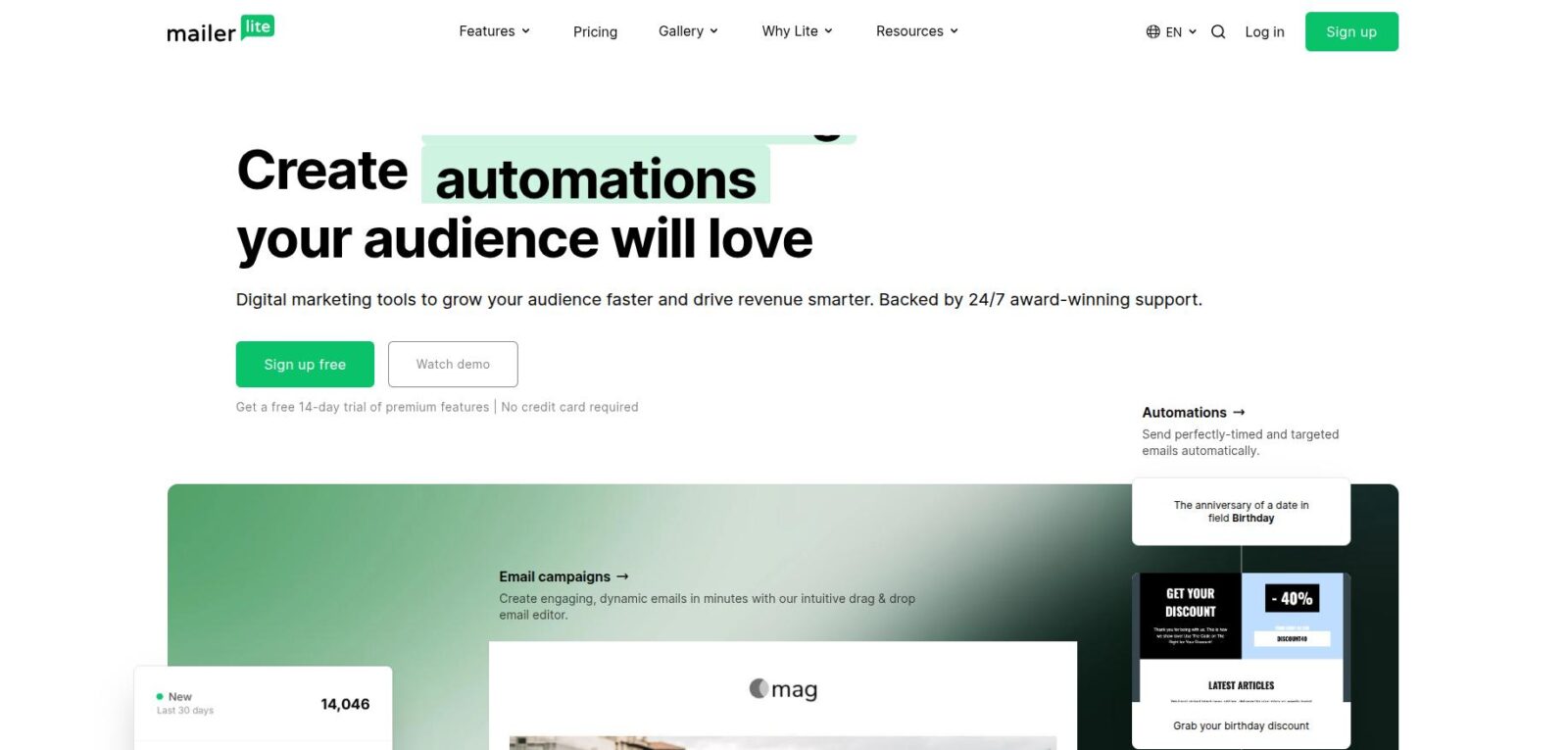
MailerLite

MailerLite built its reputation on transparency and affordability, making it highly appealing to the budget-conscious user.

  • Only Pay for Active Users: MailerLite only charges you for active, unique subscribers. A subscriber is counted only once, regardless of how many groups or segments they belong to.
  • Generous Free Plan: MailerLite offers a much more powerful Free Plan (up to 1,000 subscribers and often 12,000 monthly emails). Best of all, it includes the Visual Automation Builder—a game-changer for new bloggers.
Subscriber CountMailchimp (Standard Plan)MailerLite (Growing Business)Savings with MailerLite (Approx.)
2,500$60 / month$30 / month50%
5,000$100 / month$50 / month50%
10,000$135 / month$75 / month45%

Blogger Takeaway: If you want a platform that gets cheaper over time and has a powerful free plan to start with, MailerLite is the financial winner.

2. Ease of Use & User Interface (UX)

When you are a beginner, the software should feel like a helping hand, not a barrier. This is the second area where MailerLite shines.

Mailchimp: The Cluttered Powerhouse

Mailchimp has expanded to include websites, social media management, and robust CRM tools. While this is great for large companies, for a simple newsletter sender, it causes feature sprawl.

  • Steeper Learning Curve: The dashboard is often described as confusing, with features buried behind multiple menus. It takes time to find simple functions.
  • Terminology: Mailchimp uses its own branded terminology (“Audiences” instead of “Lists,” “Customer Journeys” instead of “Workflows”), which can be confusing if you’re learning email marketing basics.

MailerLite: Simple, Focused, and Intuitive

MailerLite has prioritized a clean, modern aesthetic that keeps the focus squarely on email campaigns.

  • Minimalist Dashboard: The interface is clean and straightforward. You can find the email editor, forms, and automation builder within two clicks.
  • Fast Editor: The drag-and-drop email editor is fast, modern, and easy to use. It focuses on essential content blocks (text, images, buttons, social links) that look professional on any device.
  • Lead Generation Tools: The Landing Page Builder is particularly praised. It’s built right in, allowing even a layperson to create high-converting landing pages for lead magnets or products without needing a separate service.

3. Automation & Workflow: Set It and Forget It

Automation is how your email list makes you money while you sleep. The key is making it accessible.

Mailchimp Automation: Advanced but Restricted

Mailchimp’s automation builder (called Customer Journeys) is powerful, offering many triggers based on e-commerce actions and API activity.

  • Paywall Restriction: Crucially, the multi-step visual builder is locked behind their paid plans. Free users cannot automate a simple welcome sequence.
  • Complexity: The builder, while powerful, can be intimidating for a non-marketer, often requiring a lot of setup steps for simple tasks.

MailerLite Automation: The Beginner’s Dream

MailerLite democratizes automation, offering a visual workflow builder that anyone can understand.

  • Free Access to Automations: This is the single biggest advantage for a new blogger. You can build complex, multi-step workflows like:
    • Welcome Sequence: Triggered when a subscriber joins a form.
    • Lead Magnet Delivery: Sends a PDF instantly upon sign-up.
    • Re-engagement: Emails subscribers who haven’t opened an email in 60 days.
  • Visual Workflow: The builder is genuinely drag-and-drop, allowing you to clearly see the path an email will take (e.g., If they click Link A, send Email B; if not, send Email C).

4. Deliverability and Support

Getting emails into the inbox is the only metric that truly matters.

  • Deliverability: MailerLite generally scores very high in deliverability tests, often slightly edging out Mailchimp. This means more of your emails land in the Primary Inbox rather than the Spam or Promotions folder.
  • Customer Support: MailerLite offers 24/7 live chat support on all paid plans (and often for a limited time on the free plan). Mailchimp’s live support is often reserved for higher tiers, leaving free or Essentials users to rely primarily on documentation.

Conclusion

While Mailchimp is still a large, reliable name, the consensus is clear: MailerLite is the best alternative for the vast majority of creators and small businesses.

Choose MailerLite If…Choose Mailchimp If…
Budget is your top priority.You need advanced, integrated CRM and social tools.
You need multi-step automation on a free plan.You are a large e-commerce brand needing deep purchase history segmentation.
You want a clean, simple interface and fast learning curve.You have an in-house marketing team comfortable with a complex tool.
You want fair pricing that only counts active subscribers.Your budget is unlimited and you want the most features possible.

For most people reading this, MailerLite offers 95% of the features you need at 50% of the cost, with a much easier experience. It’s the top competitor for a reason.

SourceForge vs GitHub: Which Platform Offers Better Linux Tools

Linux has long been at the heart of open-source innovation. Whether it’s a lightweight text editor or a full-scale IDE, Linux users rely on community-driven platforms to find and share software. For years, SourceForge was the default home for open-source downloads — a one-stop directory for discovering tools across Windows, Mac, and Linux. But with the rise of GitHub, the ecosystem shifted toward a developer-first world focused on collaboration, version control, and active project evolution.
Today, the big question is: which platform is better for Linux users — SourceForge or GitHub?

SourceForge: The Classic Open-Source Hub

Before GitHub existed, SourceForge was where nearly every open-source project lived. Tools like GIMP, Audacity, FileZilla, and 7-Zip built their communities there. The platform’s core strength is accessibility — it offers categorized software listings, mirrors for downloads, and a simple way to get pre-built binaries without touching the command line.

For Linux users who prefer stability and straightforward access, SourceForge still provides thousands of utilities, system management tools, and developer frameworks. However, its weaknesses are equally known: some outdated projects, inconsistent update cycles, and the legacy issue of bundled ads in installers (since removed) have impacted user trust.

In short, SourceForge remains a valuable software discovery platform, but it’s no longer the go-to for active development.

GitHub: The Modern Developer Ecosystem

GitHub redefined what “open source” means. Instead of being a download portal, it became a collaboration environment — where developers host code, track issues, fork repositories, and push continuous updates through Git. For Linux enthusiasts, GitHub has become the living archive of modern software innovation.

Most Linux tools today are actively developed and maintained on GitHub. From terminal utilities to graphical apps, developers publish both source code and stable binaries under GitHub Releases, making it easier for users to download or compile them. The transparency of commit history, issue tracking, and pull requests ensures security and reliability — something SourceForge struggles to match.

For developers, GitHub’s integrations with CI/CD, Docker, and package managers (like Snapcraft or Flatpak) also streamline Linux deployment workflows.

Feature Comparison: SourceForge vs GitHub

FeatureSourceForgeGitHub
Primary UseSoftware discovery & downloadsCode hosting & collaboration
User FocusEnd users (ready-to-use binaries)Developers & maintainers
Linux Tool VarietyThousands of legacy utilitiesThousands of active, modern projects
Update FrequencyVaries; some inactiveContinuous via Git commits
Community TrustMixed (due to past issues)High (transparent and verifiable)
Security TransparencyLimitedStrong (open code, issue audits)
Ease of UseSimple for casual usersBetter for technical users

In essence, SourceForge serves as a museum of classic open-source projects, while GitHub acts as the engine room of today’s Linux development.

Which Platform Is Better for Linux Users?

If you’re looking for actively maintained tools, GitHub wins hands-down. It offers the freshest versions, detailed documentation, and community-driven issue resolution. Many Linux developers now distribute software via GitHub Releases, Snap, or Flatpak rather than centralized portals like SourceForge.

However, SourceForge still holds relevance. It’s a safe place for stable, tested utilities that don’t require frequent updates — perfect for system admins or end users who prefer downloading pre-compiled packages without compiling code.

The Shift from Downloads to Collaboration in the Linux World

The open-source community has evolved far beyond traditional download repositories. Where SourceForge once centered on distributing ready-to-use installers, platforms like GitHub emphasize collaboration before consumption. Instead of simply downloading finished software, Linux developers now fork, modify, and improve projects together in real time. This cultural shift has made GitHub the hub for continuous innovation — a living ecosystem where bugs are tracked transparently, and community pull requests shape future releases.

For everyday Linux users, this change means gaining access to tools that are not only free but also constantly improving. Instead of relying on static binaries, users can now watch projects grow, test pre-release builds, and contribute feedback directly to developers. This participatory model bridges the gap between creators and users — something SourceForge never fully enabled in its original framework. As a result, open-source software discovery today is as much about community trust and transparency as it is about finding the right tool.

Alternatives Worth Exploring

Beyond SourceForge and GitHub, several other platforms are gaining traction among Linux users and developers:

  • Flathub – The modern hub for Linux desktop apps packaged as Flatpaks.
  • FossHub – Focused on safe, malware-free open-source downloads.
  • Launchpad (Canonical) – Ideal for Ubuntu-based project collaboration.
  • Cloudfindr – A growing software discovery platform that helps users compare and evaluate tools across Windows, Mac, and Linux ecosystems.
  • GitLab – Another developer-centric Git hosting platform with CI/CD and self-hosting support.

These platforms collectively make open-source software easier to find, verify, and use — regardless of your preferred OS.

Conclusion

Both SourceForge and GitHub play vital roles in the Linux community — one as a historical archive and the other as a dynamic collaboration platform. For modern development, GitHub leads with transparency, active maintenance, and community engagement. Yet, SourceForge continues to serve as a reliable repository for stable releases and older projects that still work perfectly on modern Linux distributions.

The smartest approach of current time for Linux users is hybrid: use GitHub for innovation and SourceForge for reliability — and keep exploring trusted directories like Cloudfindr for verified software across all platforms.

Odoo ERP vs. Traditional ERP Systems: Which One Is Right for Your Business?

Choosing the right Enterprise Resource Planning (ERP) system is a critical decision for any business. Traditional ERP systems have long been the go-to solution for large enterprises, but modern alternatives like Odoo ERP are changing the landscape with flexibility, cost-effectiveness, and ease of use. This blog compares Odoo ERP with traditional ERP systems to help you determine which is the best fit for your business.

1. Understanding ERP Systems

Traditional ERP Systems are robust software solutions designed to integrate and automate business processes across departments. Developed by industry giants such as SAP, Oracle, and Microsoft, they offer extensive functionalities but often come with high costs, lengthy implementations, and complex maintenance requirements.

Odoo ERP is a modern, open-source ERP solution that provides businesses with a modular, scalable, and cost-effective alternative to traditional ERP software. Designed for organizations of all sizes, Odoo allows companies to start small and expand as needed, offering flexibility and lower upfront investment.

2. Key Differences Between Odoo ERP and Traditional ERP Systems

2.1 Cost and Affordability

  • Traditional ERP: High upfront licensing fees, ongoing maintenance costs, and expensive upgrades.
  • Odoo ERP: Open-source with a one-app free plan and affordable paid plans. Users can start with the necessary app and easily add any of the 86 core modules at any time, all for the same per-user cost.

2.2 Implementation and Deployment

  • Traditional ERP: Requires months (or even years) of implementation, with extensive customization and IT involvement.
  • Odoo ERP: Faster deployment with cloud and on-premise options; modular structure allows gradual adoption.

2.3 Customization and Flexibility

  • Traditional ERP: Highly customizable but complex, requiring dedicated IT teams and vendor support.
  • Odoo ERP: Highly flexible and customizable with built-in apps and third-party integrations, allowing businesses to tailor solutions to their needs.

2.4 Scalability and Modularity

  • Traditional ERP: Scalable but often requires extensive modifications and additional licensing.
  • Odoo ERP: A Modular approach lets businesses scale by adding modules as they grow.

2.5 User Experience and Accessibility

  • Traditional ERP: Generally feature-rich but may have a steep learning curve and outdated UI.
  • Odoo ERP: It has an Intuitive and user-friendly interface with modern web-based accessibility.

2.6 AI and Automation Capabilities

  • Traditional ERP: Limited AI capabilities unless supplemented with third-party tools.
  • Odoo ERP: Integrates AI and automation for tasks like invoice processing, sales forecasting, customer support, and data-driven insights.

2.7 Maintenance and Support

  • Traditional ERP: Requires in-house IT teams or vendor support contracts for maintenance and troubleshooting.
  • Odoo ERP: Easier maintenance with community support, vendor assistance, and regular updates.

3. Comparing Odoo with NetSuite

NetSuite is a cloud-based ERP solution known for its strong financial management capabilities. However, its high cost and complex pricing structure often deter small and medium-sized businesses.

  • Odoo ERP is a cost-effective alternative, especially with its free version and affordable paid pricing plans. 
  • Customization & Flexibility: Odoo’s modular approach allows businesses to tailor the system to their needs, offering greater flexibility than NetSuite’s standardized structure.
  • Ease of Use: Odoo provides a more intuitive user experience compared to NetSuite’s steeper learning curve.

4. Comparing Odoo with SAP

SAP is a well-established ERP system widely used by large enterprises. While it offers powerful solutions, it comes with high implementation costs and complex integration processes.

  • Cost-Effectiveness: Odoo is significantly more affordable than SAP, making it a better choice for SMBs looking for a scalable solution.
  • Customization & Deployment: Odoo’s modular design ensures that businesses can start with essential features and expand gradually. SAP, on the other hand, requires extensive setup and long deployment timelines.
  • Flexibility: While SAP is tailored for large enterprises, Odoo’s flexibility makes it a strong contender for businesses of all sizes looking for agility and cost savings.

5. Pros and Cons

Odoo ERP

✅ Cost-effective with open-source options
✅ Faster implementation and scalability
✅ Modern UI and ease of use
✅ Built-in AI and automation features
✅ Flexible and modular approach
✅ Out-of-the-box industry-specific features (may require advanced configuration)

Traditional ERP Systems

✅ Comprehensive and feature-rich
✅ Industry-specific modules for enterprises
✅ Established and widely used in large corporations
✅ Strong security and compliance capabilities
❌ High cost and complex implementation
❌ Requires extensive IT support and maintenance
❌ Limited flexibility in adapting to evolving business needs

6. Which ERP Is Right for Your Business?

Choose Odoo ERP If:

  • You are a small/mid-sized/large business looking for a cost-effective solution.
  • You need a modular, scalable system that grows with your business.
  • You want a user-friendly interface with AI-powered automation.
  • You prefer open-source flexibility and easy integration with third-party tools.

Choose Traditional ERP If:

  • You are a very large enterprise with complex, industry-specific requirements.
  • You need a highly structured and regulated system for compliance.
  • Your company can afford the high costs of licensing, implementation, and maintenance.
  • You have a dedicated IT team to manage the ERP system.

Conclusion

Both Odoo ERP and traditional ERP systems offer unique benefits, but the right choice depends on your business’s size, budget, and operational complexity. Odoo ERP stands out with its cost-efficiency, modular flexibility, and AI-driven automation, making it ideal for growing businesses looking for an agile solution. On the other hand, traditional ERP systems remain a powerful choice for large enterprises that require extensive customization, compliance features, and structured operations.

Before making a decision, carefully assess your business needs, scalability goals, and IT resources. Selecting the right ERP can significantly enhance productivity, streamline operations, and support long-term business growth.

Need expert guidance on choosing the best ERP for your business? Contact Cudio today for a tailored solution!

5 Key Factors CHROs Must Consider When Choosing a Staffing Agency

Critical skills gaps keep widening. Competition for specialized talent gets fiercer every day. And your internal recruitment team — no matter how good they are — can only stretch so far.

When those critical roles stay vacant, your projects stall. When your team lacks specialized skills, market opportunities slip away. When hiring spikes hit, quality takes a hit. 

These aren’t just HR problems either; they directly impact your business results, market position, and competitive edge.

All of this is probably why you’re considering a staffing partnership.

But here’s the hard truth: the quality gap between the best staffing agencies and mediocre ones is enormous. 

  • The wrong partner doesn’t just waste time – they create expensive headaches
  • Bad candidates drain your team’s energy
  • Poorly vetted hires create messes you’ll clean up later
  • Culture mismatches drive away your best people

So how do you cut through the impressive pitches to find a top staffing agency that delivers actual results? 

It comes down to five critical factors that separate transformative partnerships from frustrating vendor relationships.

Beyond Service Lists: Evaluating Staffing Partners That Deliver Results

You’ve probably noticed most agency selection focuses on the wrong things: Fees, time-to-fill, candidate volume, etc. Unfortunately, these tell you little about actual value.

Smart organizations take a different approach. They focus on what drives real results. 

They partner with agencies who truly understand their business, not just job descriptions. They demand proof of outcomes, not activity reports.

1. Deep Hiring Expertise for Your Industry 

Anyone can claim they know your industry. Few actually do.

Look for agencies that show you:

  • Real solutions to tough hiring challenges in your specific field
  • Knowledge of which skills truly matter in your key roles
  • Understanding of related skills that uncover hidden talent pools
  • Awareness of what keeps people in your industry beyond just money
  • Honest assessment of talent availability for specialized roles

Ask direct questions about recent industry changes and how they’ve adapted. Request examples of how they’ve helped similar companies find hard-to-get talent.

You can spot real expertise in how they discuss roles beyond basic job descriptions. For instance, at SPECTRAFORCE, our teams often help clients refine their requirements based on what we’ve seen work across similar organizations in their industry.

The best partners will challenge your view when needed. They know when common industry requirements actually predict success and when they’re just outdated thinking.

2. Service Model Alignment With Business Objectives

The wrong service model fails no matter how well it’s executed.

Match your challenges to the right approach:

  • Unpredictable hiring needs? Avoid agencies that penalize fluctuations
  • Hard-to-fill technical roles? Prioritize deep expertise over general recruitment
  • High-volume hiring? Focus on scalable processes, not individual recruiters
  • Expanding to new locations? Verify that they actually know those markets
  • Building diverse teams? Demand specific methods, not vague promises

Challenge common assumptions about service models. A direct placement approach might seem ideal for specialized roles—until hiring volume spikes and speed becomes critical. On-site solutions offer control, but without the right structure, they can introduce hidden inefficiencies that slow you down.

The real test of a hiring partner isn’t when things go as planned—it’s how they respond when they don’t. Do they adapt their approach to solve the issue, or just point to market conditions as the problem?

A strong partner doesn’t just sell you a standard model, but assesses your business context and adjusts accordingly. The best providers recognize when traditional methods won’t cut it and offer strategic alternatives that align with your goals.

3. Candidate Evaluation Methodology

You know resumes miss what matters most. Traditional interviews don’t predict success either. Better evaluation looks at:

  • What actually predicts performance beyond skills and experience
  • How candidates adapt and learn in changing situations
  • Cultural fit based on work behaviors, not background
  • Communication style in contexts similar to your workplace
  • Problem-solving approaches relevant to your challenges

Ask for specifics about:

  • How they know their evaluation methods actually work
  • What they’ve learned from surprising candidate successes
  • How they improve their assessment based on results

A top staffing agency will combine strong AI analysis with expert human judgment. This combination eliminates weaknesses in either method alone. AI reduces bias and spots patterns; humans add context and nuance.

Source: LinkedIn

For instance, at SPECTRAFORCE, we use this exact AI and human blend for exceptional matchmaking. We constantly refine this balance based on real outcomes, not hunches.

4. Recruitment Process Transparency

Hidden processes hide mediocrity. Great partners show you exactly what’s happening.

Demand clarity on:

  • Daily progress with context
  • The effort behind the numbers
  • Why qualified candidates say no
  • How candidates view your opportunity
  • Real competitive intelligence without sugar-coating
  • Honest assessment of bottlenecks, including yours

Get access to raw data and not just polished reports. Set clear triggers for when issues need escalation and what happens next.

Transparent partners welcome accountability because they trust their work. They share tough feedback because they care more about your results than looking good.

The most valuable insights often come from difficult truths: why candidates reject offers, how competitors attract talent you want, and where your hiring process creates friction. 

The best staffing partner will provide this intelligence even when uncomfortable.

5. Adaptability to Changing Talent Markets

Talent markets change constantly. Skill availability shifts. Pay expectations evolve. Candidate priorities transform.

Look for partners who show:

  • Early warnings through solid market intelligence
  • Quick strategy shifts when initial approaches fail
  • Creative sourcing that finds hidden talent pools
  • Flexible processes during competitive hiring situations
  • Willingness to challenge assumptions when realities change

Test adaptability by asking:

  • How they’ve helped clients handle sudden skill shortages
  • When they’ve suggested strategy changes based on market shifts
  • How they balance speed and quality when facing tough tradeoffs

Rigid approaches fail when markets change. Adaptive partners adjust continuously based on real feedback from the talent marketplace.

Matching Your Business Needs With The Right Partnership Approach

Your ideal staffing partner depends entirely on your specific business challenges.

Different businesses have different hiring needs. 

For instance, a fast-growing company needs an agency that can scale hiring without lowering standards. Established companies, on the other hand, need agencies that optimize hiring within existing processes without disrupting what already works.

A good hiring partner understands these differences and adjusts their approach accordingly.

Your evaluation criteria should reflect your specific priorities:

  • Which talent gaps create your biggest strategic risks?
  • What hiring outcomes directly impact business performance?
  • Where do you need external expertise most?
  • What balance of speed, quality and cost best serves your objectives?

The true value of elite staffing partnerships grows over time. Initial placements are just the beginning. As your partner develops a deeper understanding of your business context and culture, their strategic impact increases.

The right partner becomes more valuable as market conditions shift and talent needs evolve. They anticipate challenges before they emerge and identify opportunities others miss.

Don’t settle for faster or cheaper hiring. Choose a partner who delivers sustained strategic value to your organization.

Top 5 GoDaddy Alternatives for E-commerce

A strong host for an online eCommerce store is essential for running a successful shop. It will handle high traffic and secure online transactions and the right hosting service takes care of hundreds of other crucial issues that affect the growth of your business. However, typically slow loading speeds or frequent downtimes and high website hosting prices draw businesses away from GoDaddy in search of something better.

If you are looking for that hosting provider with good value for money and reliable performance, you have your answer right here. The five best alternatives to GoDaddy, which guarantee not only fast speed but also the strongest security and the best RDP server solutions for an effortless scalable eCommerce experience, have been compiled here.

What Should You Look for in the Best E-commerce Hosting Provider?

  • Website Loading Speed & Efficiency: Make sure that the loading times are faster in order to provide an enjoyable shopping experience.
  • Website Safety & Security Features: SSL certificates, firewalls, and malware protection to keep online transactions secure.
  • Seamless Expansion: Capacity to manage a sudden surge in traffic without performance degradation.
  • Hosting Price & Robust Features: Economical plans with powerful features that keep plans relatively inexpensive.
  • Reliable Customer Support: Technical issues are covered 24/7 by an expert staff.

Top 5 GoDaddy Alternatives: Best Ecommerce Hosting Providers

1. MilesWeb—Perfect Web Hosting Solution for E-commerce Success

MilesWeb serves as one of the top-notch eCommerce hosting services; it offers a balanced mix of cost-efficiency and well-optimized features that fit a variety of users.

Why is MilesWeb the Best Choice?

  • Higher Productivity: With 6 CPU cores, unmetered bandwidth, and 12 GB of RAM, MilesWeb’s best eCommerce hosting is just enough to provide customers with the best browsing experience. 
  • Total Support for Online Stores: A 1-click installation for popular eCommerce website applications such as WooCommerce, PrestaShop, Cubecart, or other 400+ eCommerce applications is made available, which makes it easier to launch your online store. 
  • Strong Security Features: Online protection from threats by free SSL certificates, backup daily, and the most advanced security measures will ensure safe interactions for customers at your online store. 
  • Amazingly Low Tariffs: MilesWeb caters to growing businesses and dynamic websites, with their eCommerce hosting plans starting from a mere ₹799.00 per month, so they are available for any business without compromising on quality. 
  • Support 24/7: A dedicated team is available for you to assist in resolving any technical issues with your online store and ensure that your store does not experience any downtime.

Thus, MilesWeb is suitable for being the best alternative to GoDaddy for hosting eCommerce.

2. Bluehost—Ideal Platform for WooCommerce Websites

Bluehost is the best alternative to GoDaddy if your eCommerce website is built on WordPress. 

Bluehost is the best for the following reasons: 

  • WooCommerce-Specific Hosting: An online store would be set up without a hitch since WooCommerce and WordPress features are pre-installed.
  • Free Domain & SSL Certificate: It improves your store’s trustworthiness and, at the same time, makes sure that customers have safe online transactions. 
  • Uninterrupted Service & Speed: Servers are optimized to cater to the leading online stores so you can deliver a seamless shopping experience.
  • Beginner-Friendly Interface: Its simple control panel makes a beginner’s task easy when it comes to managing an online store.

Therefore, if you are an entrepreneur or thinking of establishing WooCommerce stores, then Bluehost is a perfect hosting solution, especially because it is well-suited for WooCommerce.

3. SiteGround—Secure and Highly Scalable Ecommerce Hosting Solution

SiteGround is a dominant powerhouse in the web hosting landscape, having one of the best security and scalability options available to anyone.

Why SiteGround?

  • Advanced AI-Powered Security: Constant monitoring helps prevent any eCommerce threats.
  • Daily Backups and CDN for Free: Secure your website and make it available around the world.
  • High-Speed Hosting Solution with Flexibility: This fits high-traffic websites that would otherwise see a slowdown.
  • Dynamic Customer Support: Technical support around the clock and with a dedicated and quite knowledgeable staff.

The SiteGround platform serves companies that have e-commerce websites and are in dire need of excellent security and performance.

4. A2 Hosting—Specifically Designed for Speed and Performance

A2 Hosting is the ideal alternative to GoDaddy for those eCommerce store owners who want blazing-fast speeds. 

Why is A2 Hosting the Best Option? 

  • Turbo Servers: Offer up to 20x performance levels compared with conventional hosting and certainly lead to quicker page loads. 
  • Free Website Migration: Transfer from any other web host free of cost and with zero downtime in the transfer process. 
  • Advanced Developer Tools: Most suited for tailored eCommerce solutions and further offers scalable solutions for developers. 
  • All-in-One Security Solution: SSL certificates, firewall security, and DDoS mitigation. 

A2 Hosting is best for your eCommerce websites that require top-notch performance.

5. Hostinger—The Host with the Most Affordable yet Strong Features 

When searching for the most cost-effective e-commerce hosting, Hostinger is the closest you get to an inexpensive yet competent host in the hosting world.

What Makes Hostinger the Best Choice?

  • Low-Cost Website Hosting Prices: Affordable plans make it much easier for newbie store owners.
  • Worldwide Reach of Data Centers: Delivers international reach with speedy load times across all the regions.
  • Free Domain Name & Email Hosting: This helps save money and is more beneficial to startups.
  • Easy Control Panel: A simple yet extremely powerful user interface makes it beginner-friendly.

Hostinger is an affordable eCommerce hosting solution for high-efficiency performance.

Final Thoughts

Hosting for eCommerce stores requires choosing the appropriate provider because it will be a key factor in the success of your online store. Meanwhile, though GoDaddy has always been a favorite for users, it has been outperformed by other choices such as MilesWeb, Bluehost, SiteGround, A2 Hosting, and Hostinger—the way they come with better prices, faster speed, and better security.

To find a hosting provider that delivers cheap rates for website hosting, as well as the best RDP server solutions, the best option would be MilesWeb. They’ll keep your store running smoothly, securely, and efficiently.

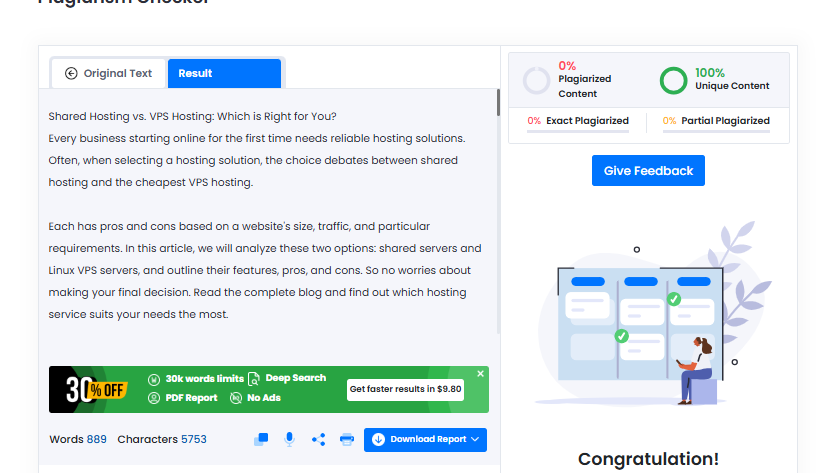
Shared Hosting vs. VPS Hosting: Which is Right for You?

For any business making its online debut, a reliable hosting solution is the foundation of success. Thus, to make your first impression, you need a fantastic website and the best performance rate. However, this would be incomplete if you didn’t choose a trustworthy hosting provider. Often, when selecting a hosting solution for newbie websites, the choice debates between shared hosting and the cheapest VPS hosting.

Each has pros and cons based on a website’s size, traffic, and particular requirements. In this article, we will analyze these two options: shared servers and the best VPS servers, and outline their features, pros, and cons. So no worries about making your final decision. Read the complete blog and find out which hosting service suits your needs the most.

What is shared hosting?

Shared hosting refers to a hosting service that allows multiple users to have their websites hosted on the same server, enabling them to utilize the server’s resources among themselves. Thus, even the costs of the resources are shared among the users.

Key features of shared hosting:

  1. Affordable: Out of all the hosting solutions in the market, shared hosting is the most affordable. It is advantageous to small businesses, personal websites, and blogs, or users seeking to cut down on their expenses.
  2. Easy to use: A majority of shared hosting providers offer one-click installations along with control panels for easy management and website monitoring. As a result, beginners can manage their websites without significant technical know-how.

Drawbacks of shared hosting: 

  1. Minimal access: You are only provided with minimal access to the server and settings, meaning less flexibility in changes to be made.
  2. Reduced efficiency: Your site might slow down in case other websites hosted on the same server gain more traffic. 
  3. Hosting security: There are possibilities of having issues on the server in case even one website is hacked.

What is VPS hosting?

VPS (Virtual Private Server) is an advanced hosting environment that is separated by virtually isolated compartments. The provider offers an isolated hosting environment, dedicated, and more. It is a step up from shared hosting, which offers a private server setting for a website. However, like shared hosting, the physical server is still used by different clients. Websites that have moderate to high traffic or that need specific user server settings benefit from VPS hosting. 

Key features of VPS hosting:

  1. Allocated resources: With VPS hosting, the website’s allocated part of the server is powerful and stable. In contrast, shared hosting does not allocate server resources.
  2. More control: VPS hosting enables users to customize server settings such as software installation, security configurations, and system resource allocation.
  3. Flexibility: VPS hosting is flexible. It’s possible to easily change plans depending on the size of your website.
  4. Increased efficiency: Your website will load faster with VPS hosting, especially during a spike in server traffic, as the dedicated resources greatly reduce the chances of slowdown.
  5. Heightened protection: In VPS’ virtual environment, your website gets protected from being harmed by other websites with security threats on the same server.

Drawbacks of VPS hosting:

  1. Increased expenses: The cost of VPS hosting is typically much higher than shared hosting—this is especially true for the initial plans.
  2. High technical assistance: With greater control comes the responsibility of managing your server. If you do not have adequate technical skills, you may have to consult with a server administrator. 
  3. High resource usage: VPS hosting has more control and flexibility, but it also uses up more time and resources. Security patches, regular backups, and maintenance are also expected. Software also needs to be updated and attending to that requires effort. As a result, server supervision is heightened. 

When to choose shared hosting: 

  1. Small website or blog: Shared hosting is the most straightforward and inexpensive option if you have a brand-new blog or website and do not expect lots of traffic. Thus, with these requirements, you can choose a shared server for your business.
  2. Budget constraints: For businesses that are in the initial phase (most commonly SEMs and startups), choose shared hosting services, as they are the most reasonably priced hosting option.
  3. Low maintenance: If you find taking care of the server tiresome, Shared Hosting does everything server-related. Therefore, you are given more time to strategize and work on your website’s content.

When to choose VPS hosting:

  1. Growing a website or e-commerce store: VPS hosting provides the necessary performance and security if you are already expecting more traffic and have begun experiencing a rise in it.
  2. Customization needs: Thanks to the customized software and server settings offered by VPS hosting providers like MilesWeb, you can modify your hosting environment to meet your needs.
  3. Security and performance: VPS hosting is designed for more secure and stable environments, which are needed for sensitive data sites or websites with higher security requirements. With MilesWeb’s VPS plans, you can host your projects without security concerns.

Conclusion

The choice between shared and VPS hosting largely depends on the specific size, traffic, and requirements of your website. Shared hosting is great for novice users and small-budget websites, while VPS hosting is ideal for expanding websites and those with increasingly complex needs.

If you are still uncertain about the right web hosting solution, it’s recommended that you go with providers like Milesweb. They offer you both shared and VPS hosting plans. As soon as your website outgrows the shared plan limits, you can easily switch to their high-tier VPS plans. Consider your current situation and future needs to determine the best value and performance for your website and enjoy hindrance-free web hosting.

A Detailed Guide to Selecting the Best Cloud Hosting Provider

Today, in an ever more digital-first world, the cloud hosting provider selection has become vital to the success of an online presence. While there are dozens of providers, each offering multiple services, how do you know which one is the best fit? Two critical points of consideration include what is the cheapest cloud server and whether or not the service includes cloud hosting with cPanel. These factors not only matter to the final cost but also go a long way in making it easier to handle your hosting environment. Let’s take a closer look at the critical considerations, looking into how MilesWeb emerges as a choice of trust.

Cloud Hosting: Elevate Business Growth

Cloud Hosting refers to the hosting of a website using multiple servers rather than just one physical server. The advantages of this new-age architecture include offering more scalability, reliability, and performance while also being relevant to various businesses on any scale from small to large. Whether you just have a tiny personal blog, an eCommerce website that’s buzzing with activity, or a high-profile corporate portal on your network, you would have cloud hosting services that definitely provide flexibility and uptime as per the users’ expectations from their visitors.

Essential Criteria for Picking the Right Cloud Hosting Service

  • Speed and Reliability

The speed, reliability, and performance of your web page are determined exclusively by its underlying infrastructure. Find a provider that guarantees high uptime, fast load speeds, and cutting-edge technology to ensure seamless user experiences. MilesWeb stands out with what they brand as state-of-the-art cloud infrastructure powered with SSD servers that make sure that your website runs smoothly.

  • Cost Efficiency

An understanding of the cloud server cost per month is important. It is very significant in making a choice for a plan, based on all essential features, but also being within budget. MilesWeb is one of the companies that offer cloud hosting services at affordable prices. Competitive prices for these services make it easy for everyone to get premium services without hurting their pockets. Clear pricing with no hidden charges means you will pay only for what you will use.

  • Easy to Manage

Managing a cloud hosting environment is difficult, especially for companies lacking technical expertise. This is where cloud hosting turns into a revolutionary feature, namely with cPanel. MilesWeb incorporates cPanel into their hosting solutions so that customers can manage their domains, emails, databases, etc. with the easy-to-use interface provided by cPanel; hence even novices can manage administrative tasks without having to break sweat.

  • Scalable Growth Options

For continued growth, your web hosting provider should make provisions for resource scaling whenever needed. Cloud hosting plans by MilesWeb are highly flexible and efficient, with no downtime, and easy upgrading for storage, RAM, and bandwidth. That means they’re really useful for businesses that experience fluctuating traffic or even expansion.

  • Safety Measures

Cloud hosting prioritizes security. SSL certificates, firewalls, DDoS protection, and regularly scheduled backups will keep your data safe. MilesWeb has these advanced security arrangements that shield your website from nasty threats, and also guarantee data integrity.

  • Client Support Services

Customer support can completely change your experience with a hosting service. MilesWeb has been completely successful in this field, as they have a support team available round-the-clock to provide assistance through chat, email, or phone. Any help needed with understanding their services or suffering from any technical glitches can be solved by them through prompt response.

Why Choose MilesWeb’s Cloud Hosting?

MilesWeb is ranked among the top names in the hosting industry and is preferred by thousands of customers all over the world. Here are the reasons as to why their cloud hosting solutions are above the rest:

  • Affordable Pricing

MilesWeb has plans and pricing according to different needs so that the cloud server monthly price fits your budget. MilesWeb’s hosting plans are highly reasonable and offer exceptional value for money.

  • cPanel

With cloud hosting cPanel, managing your hosting environment becomes quite easy. MilesWeb’s easy-to-use interface allows users to perform their technical tasks without facing any hassles.

  • Lightning-Fast Performance

MilesWeb’s cloud hosting services are fast and latency-free, thanks to SSD storage complemented with advanced server technology. In the majority of cases, it promises excellent customer satisfaction. 

  • Scalable Packages

Regardless of a sudden increase in traffic or a long-term vision engineered for growth, MilesWeb’s provision for scalability has it covered.

  • Solid Security

From free SSL certificates to DDoS protection, MilesWeb puts priority into safeguarding the website and precious data. 

  • Comprehensive Support

MilesWeb 24×7 customer support is ready to come to your rescue with any issues.

Selecting the Best Fit Plan

Based on your needs select the best cloud hosting plan. But don’t forget to consider: 

  • Traffic to the website: Those expecting high traffic must select a cloud hosting plan that offers unmetered bandwidth and resources.
  • Storage: It largely depends on what type and amount of content will be hosted.  
  • Budget: Make sure the plan can remain within the limits of your budget without missing crucial features.  

Getting Started with MilesWeb

Launching your website from MilesWeb is indeed very easy. Simply choose a plan, and they will work with you, afterward, get everything up and set so your website is active in no time. It is easy to run your hosting environment with their intuitive control panel and even better support.

Conclusion

It is necessary to carefully consider numerous things, like the performance, the cost, the scalability, and above all, security before selecting a cloud hosting provider. MilesWeb fulfills all such requirements and is the best choice for businesses and individuals looking for reliable yet affordable cloud hosting solutions. MilesWeb has quite transparent pricing and user-friendly cloud hosting with cPanel and fantastic support; it helps you grow your online identity without worrying about all the technical issues.

Make smart decisions today and take your website to greater heights with MilesWeb cloud hosting services. Visit MilesWeb cloud hosting to check out their plans and access superior hosting like never before!

How Do AWS Security Features Impact Cloud Practitioner Roles

In this blog, you will look into the significance of AWS security features and how this knowledge empowers AWS Certified Cloud Practitioners to fulfill their responsibilities in today’s digital landscape. Read through for an overview of AWS security features, best practices, cloud security management, and future trends.

What Are the Core Competencies Expected From AWS Cloud Practitioners?

How Do AWS Tools Simplify Security Management for Practitioners?

The AWS Cloud Practitioner’s role becomes more relevant as cloud computing gains traction. An important prerequisite for performance in this position is understanding how AWS security measures influence their responsibilities. While the significance of AWS Security features is soaring, the human factor of the process is the silver lining of the cloud. 

Selecting the best tool for your needs can be challenging because so many options are available to help you secure your AWS environment. Consider various factors, and pick what suits you best! 

IAM and its significance to cloud security

  • IAM secures AWS since it controls access to your AWS services and resources. 
  • IAM is needed to set up secure access rights and fast identity management. 
  • Businesses need to consider IAM as a component of their overall security posture and incorporate an integrated security layer throughout the lifecycle of their applications. 
  • To quickly identify and address any possible security threats, log and monitor IAM activity. Examine access logs frequently to look for unusual activity.

GuardDuty and SecurityHub key AWS security services

You can secure your AWS environment with both Security Hub and GuardDuty, but there are some significant distinctions between the two services.

  • AWS GuardDuty is a managed threat detection service that keeps an eye on your AWS accounts and workloads for unauthorized activity and malicious activity.
  • AWS SecurityHub gives you a thorough overview of your security posture across all of your AWS services and accounts.

AWS Secrets Manager, Macie, and CloudTrail

AWS Secrets Manager is an AWS service used for securely storing and retrieving sensitive confidential data such as API access keys and database connection details, among others. Other means by which you can interact with Secrets Manager include the AWS Management Console, AWS Command Line Interface, or AWS Cloud Development Kit for applications. 

For detecting and preserving compliance with data stored in Amazon S3 buckets, Amazon Macie is a security and data privacy program. To ensure that your organization complies with the regulatory requirements and prevents data leakage, Macie automatically analyzes and tags data using machine learning techniques.

Turn on AWS CloudTrail to log and track API calls and activities across your AWS account. CloudTrail makes auditing, security analysis, and compliance easier with user activity insights.

AWS Shield and KMS 

In the realm of AWS CCP, two pivotal services, AWS Shield and AWS KMS, work together to bolster the security posture of cloud-based applications.

Shield and KMS are two AWS security tools for practitioners that make up a formidable security wall. The vulnerabilities aim to protect confidential information within the AWS domain and shield secure information from external threats.

Role of security in cloud certification

Companies keep private data, including sales records, intellectual property, and customer financial information, which could be destroyed if it were to leak. Using strict cloud security measures is therefore crucial.

Cloud professionals need to be aware of the shared responsibility model, which holds that the customer is in charge of the security “in” the cloud (data and apps) and AWS is in charge of the security “of” the cloud (infrastructure). 

Shared Responsibility Model: Application 

Customers and AWS share accountability for security and compliance; customers are in charge of the guest operating system and application software, while AWS is in charge of the infrastructure. The shared model offers flexibility and control while relieving the customer of their operational burden. Establish the goals and requirements for internal and external security as well as the associated compliance.

Examine each AWS service’s configuration options and security features. Assess AWS Security, Identity, and Compliance services to learn how to use them to achieve security and compliance goals.

What is the Impact of Cloud Security Features on Cloud Practitioner Roles in AWS?

Cloud practitioners are responsible for making sure that their cloud environments meet security and legal requirements. Additionally, they have to keep an eye on security events and react to them quickly and efficiently. You need to make sure that their cloud environments adhere to industry standards and AWS security best practices.

Necessitates for a Strong Grasp of AWS Cloud Security Features
Best Practices for AWS Security

  • Apply the least privilege principle. Minimize access to resources given that users can perform their tasks. AWS employs identities to manage who can access which AWS resources.
  • Regularly switch up your credentials. They range from passwords, API keys, and any form of access token.
  • Use encryption and secure passcodes. Adhere to the standard encryption levels and password complexity observable across the production industries.
  • Keep an eye out for any unusual activity on your AWS account. In addition, perform a risk assessment by inspecting security reports and activity logs for potential risks regularly.
  • It is important to update your software more often. To eliminate risk exposure, update your operating systems and applications with patches.
  • Regularly check your security posture. The best way to know if your security posture is correct is to check it frequently. Success factors: Vulnerability assessment and penetration testing.
  • Prepare a strategy for handling security-related incidents. Know how to come up with an incident response plan where the organization clearly outlines what should be done in case of a security breach.
  • It is therefore important to update yourself on security flaws and threats. To learn about the latest threats, then continue reading news related to the industry and subscribe to security alerts.
  • Make users aware of security measures; continuously update knowledge in AWS security measures.
  • Engage with security and compliance and ensure that the security procedures comply with company policies.

Why and How to Achieve an AWS Certification for Cloud Security Careers?

Collaboration and communication within cross-teams and between cloud practitioners and security teams are crucial parts, and the AWS Certified Cloud Practitioner certification provides a solid foundation for those new to the cloud. And becoming one can fuel your growth in cloud security. It’s relatively easy unless you are new to IT concepts. Even so, you should be fine if your memory retention skills are quite good.

With more than nine hours of video and four full-length mock exams, including more than 300 practice questions on the AWS Certified Cloud Practitioner Course and more than fifty hands-on labs, Whizlabs offers the best-in-class video course and sandbox that will help you pass the AWS Certified Cloud Practitioner exam (CLF-C02) on your first try. Prepare a custom schedule according to your expertise and acing the test would be our recommendation.

Future Trends and Opportunities in Cloud Security Careers

The growing importance of cloud computing with the rise of AI and machine learning will open doors to new opportunities. Increased investment in cloud computing and the multi-cloud adoption of cloud will require multiple cloud-certified professionals who can design, implement, and manage secure cloud environments.

The following industries are using cloud computing the most and require security expertise:

To put it briefly, because of the ever-changing threats and the challenge of locating skilled personnel, cloud security specialists are now in high demand across almost all industry verticals.

The security features offered by AWS will remain essential for maintaining governance and compliance in cloud environments. Maintaining a competitive edge in the job market requires Cloud Practitioners to stay current on the newest AWS security features and best practices.

Final thoughts

This blog sheds light on the significance of security in cloud environments and the future of cloud practices, the role of a AWS Certified Cloud Practitioner in maintaining the security wall, and the vital presence of a responsibility that comes with being cloud certified. Get AWS certified and improve your organization’s security measures.

Transform your Online Store with NetSuite SuiteCommerce Services

In the dynamic world of e-commerce, businesses need robust, scalable, and efficient solutions to stay ahead. NetSuite SuiteCommerce is a powerful platform that integrates seamlessly with your existing NetSuite ERP, enabling you to deliver a superior shopping experience. Whether launching your online store or looking to optimize and scale, our NetSuite SuiteCommerce services provide the expertise and support you need. This post explores how our comprehensive SuiteCommerce services can transform your e-commerce operations.

What is NetSuite SuiteCommerce?

NetSuite SuiteCommerce is an integrated e-commerce platform providing businesses with the tools to create engaging online shopping experiences. Unlike standalone e-commerce solutions, SuiteCommerce connects directly to your NetSuite ERP, ensuring smooth inventory, orders, and customer data management across all channels. This tight integration eliminates data silos, improves efficiency, and enhances the customer experience.

Why Choose NetSuite SuiteCommerce for Your Business?

1. Seamless Integration with NetSuite ERP

One of NetSuite SuiteCommerce’s key features is its seamless integration with the NetSuite ERP system. This means that your inventory, orders, financials, and customer data are synchronized in real time. This eliminates the need for manual data entry, reduces errors, and provides accurate, up-to-the-minute data for better business decisions.

2. Superior Scalability

As your business grows, your e-commerce platform needs to scale with it. NetSuite is built to support businesses of all sizes, from startups to global enterprises. Our NetSuite SuiteCommerce consultants can help you scale your e-commerce operations efficiently, without significant changes to your infrastructure.

3. Customizable and Flexible

No two businesses are alike, and your e-commerce store should reflect your unique brand and business needs. Our NetSuite services offer custom solutions tailored to your specific requirements. Whether it’s custom themes, plugins, or advanced features, we have the expertise to deliver a solution that fits your business.

4. Omnichannel Experience

Today’s customers expect a seamless shopping experience across multiple channels. SuiteCommerce enables you to provide a unified shopping experience, whether your customers are shopping online on mobile, or in-store. Our NetSuite SuiteCommerce consulting team can help you set up and optimize your omnichannel strategies to drive engagement and sales.

5. Mobile-Optimized Design

With the increasing mobile shopping trend, a mobile-friendly e-commerce platform is essential. SuiteCommerce is designed to be responsive, ensuring your website looks great and functions smoothly on all devices. Our NetSuite E-commerce solutions include mobile optimization to enhance the user experience and increase conversion rates.

Our NetSuite SuiteCommerce Services

At Entartes, we specialize in providing a full range of NetSuite SuiteCommerce services designed to meet the needs of businesses looking to build or enhance their online presence. Our team of certified NetSuite SuiteCommerce consultants and developers can guide you through every step of your e-commerce journey.

1. SuiteCommerce Implementation and Setup

Starting a new e-commerce project? Our NetSuite development team can help you set up your online store, configure your NetSuite account, and integrate all the necessary tools and features to get your store up and running quickly.

2. Custom SuiteCommerce Development

We understand that your business has unique requirements. Our custom development services include everything from creating bespoke themes to developing specific functionalities that enhance your e-commerce store. Whether it’s integrating third-party apps or adding new features, our NetSuite development services ensure your online store performs exactly how you need it.

3. SuiteCommerce Advanced (SCA) Solutions

For businesses looking for more advanced features and capabilities, NetSuite SuiteCommerce Advanced (SCA) is the ideal choice. SCA offers enhanced functionalities such as personalized shopping experiences, advanced search capabilities, and faster page load times. Our team can help you implement and customize SCA to take full advantage of its powerful features.

4. Ongoing Support and Maintenance

Launching your e-commerce store is just the beginning. Our NetSuite SuiteCommerce consulting services include ongoing support and maintenance to ensure your store remains up-to-date, secure, and fully optimized. We monitor your system, provide updates, and troubleshoot any issues that may arise, so you can focus on running your business.

5. SuiteCommerce Optimization and Upgrades

Is your existing SuiteCommerce store not performing to its potential? We can help optimize your store for speed, usability, and conversion. Our NetSuite SuiteCommerce consultants will conduct a thorough assessment of your current setup and recommend solutions to improve performance. Additionally, we offer upgrade services to help you migrate to the latest version of SuiteCommerce without any disruption.

Key Features of NetSuite SuiteCommerce

To truly leverage the benefits of SuiteCommerce, it’s important to understand the platform’s key features:

1. Real-Time Inventory Management

SuiteCommerce offers real-time inventory updates across all your sales channels. This ensures that customers always see accurate stock levels, reducing the chances of overselling or stockouts.

2. Personalized Shopping Experience

Personalization is critical in today’s e-commerce landscape. SuiteCommerce allows you to offer personalized content, promotions, and recommendations based on customer behavior and preferences, enhancing customer loyalty and boosting sales.

3. Powerful Analytics and Reporting

SuiteCommerce provides comprehensive analytics and reporting tools that help you track sales, customer behavior, and inventory levels. This data-driven approach enables you to make informed business decisions and fine-tune your e-commerce strategies.

4. Secure and Scalable Hosting

Security is paramount for any online business. SuiteCommerce is hosted on NetSuite’s robust cloud infrastructure, providing high-level security and scalability. This ensures that your e-commerce store can handle traffic spikes without compromising performance.

Why Partner with Entartes?

Choosing the right partner for your NetSuite SuiteCommerce project can make all the difference. Here’s why Entartes is the preferred choice for businesses:

1. Certified NetSuite Experts

Our team consists of certified NetSuite consultants and developers with years of experience in the e-commerce industry. We have successfully implemented and optimized SuiteCommerce solutions for businesses across various sectors.

2. Comprehensive E-Commerce Solutions

From initial setup and customization to ongoing support, we offer a complete range of services to ensure your e-commerce store runs smoothly and efficiently. Our holistic approach covers all aspects of e-commerce, so you have a one-stop solution for your SuiteCommerce needs.

3. Proven Track Record

We take pride in our proven track record of delivering successful e-commerce projects. Our clients trust us to deliver high-quality solutions that drive growth and improve the bottom line.

4. Customer-Centric Approach

At Entartes, we place a strong emphasis on understanding your business needs. Our customer-centric approach ensures that every solution we develop aligns with your specific goals and objectives.

Conclusion

NetSuite offers a powerful and flexible platform for businesses looking to thrive in the e-commerce space. With seamless integration, scalability, and a wealth of features, it provides everything you need to succeed online. At Entartes, our NetSuite SuiteCommerce services are designed to help you unlock the full potential of this platform. Contact us today to learn how we can help you build a successful e-commerce store that drives growth and delivers exceptional customer experiences.